Paycheck budget app that tells you what is safe to spend until payday
Budget by paycheck instead of by month. See which bills each paycheck has to cover, what goes to savings, and exactly how much is safe to spend until your next payday. It works offline on your phone or computer. Pay once, with no subscription and no account.
What it does
- Guided 4-step setup: pick weekly, every 2 weeks, twice a month or monthly pay, enter your next payday and take-home pay (add a partner's or side-job income too), your bills and a savings goal
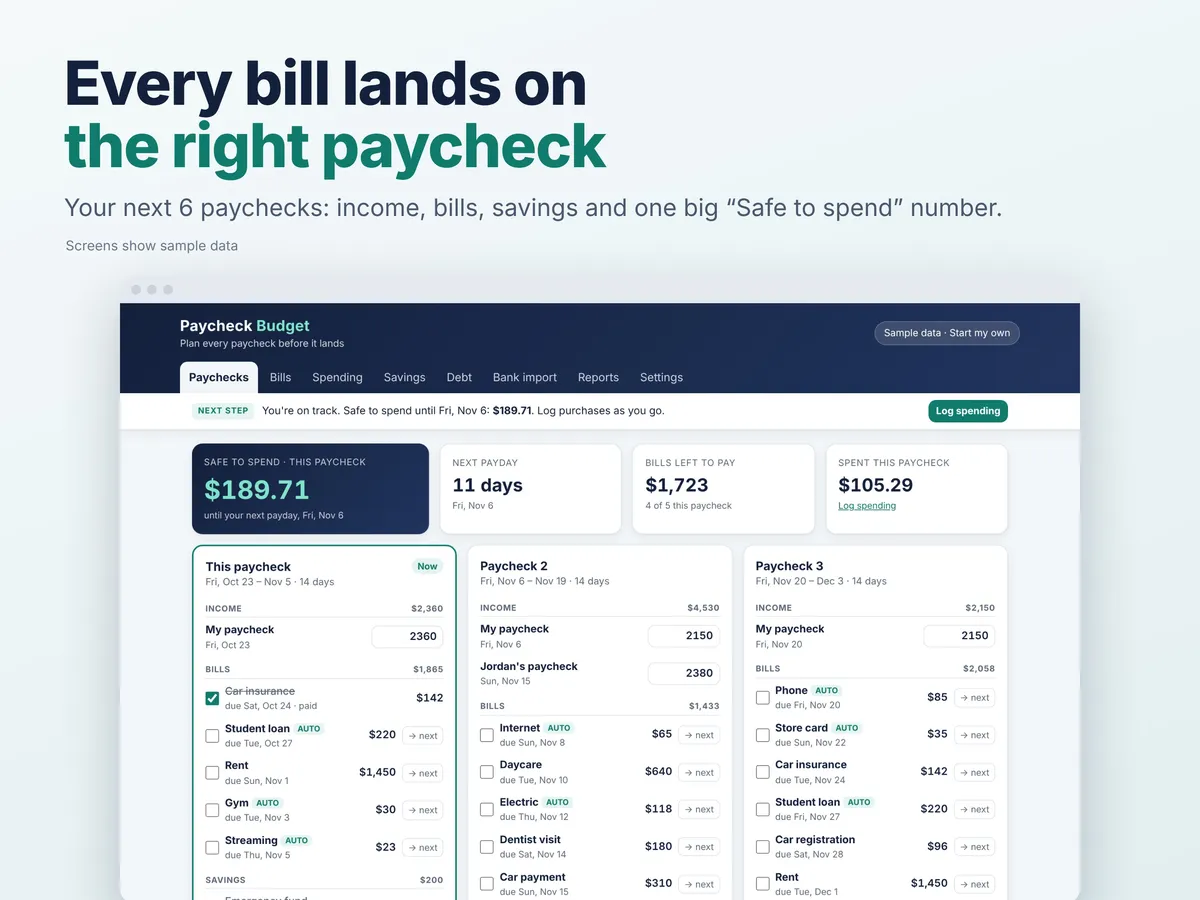
- "Next step" bar: always tells you what to do next, so you're never left wondering where to click
- Paycheck timeline: your next 6 paychecks as cards, each with its income, the bills due before the next payday, savings, spending so far and one big "Safe to spend" number
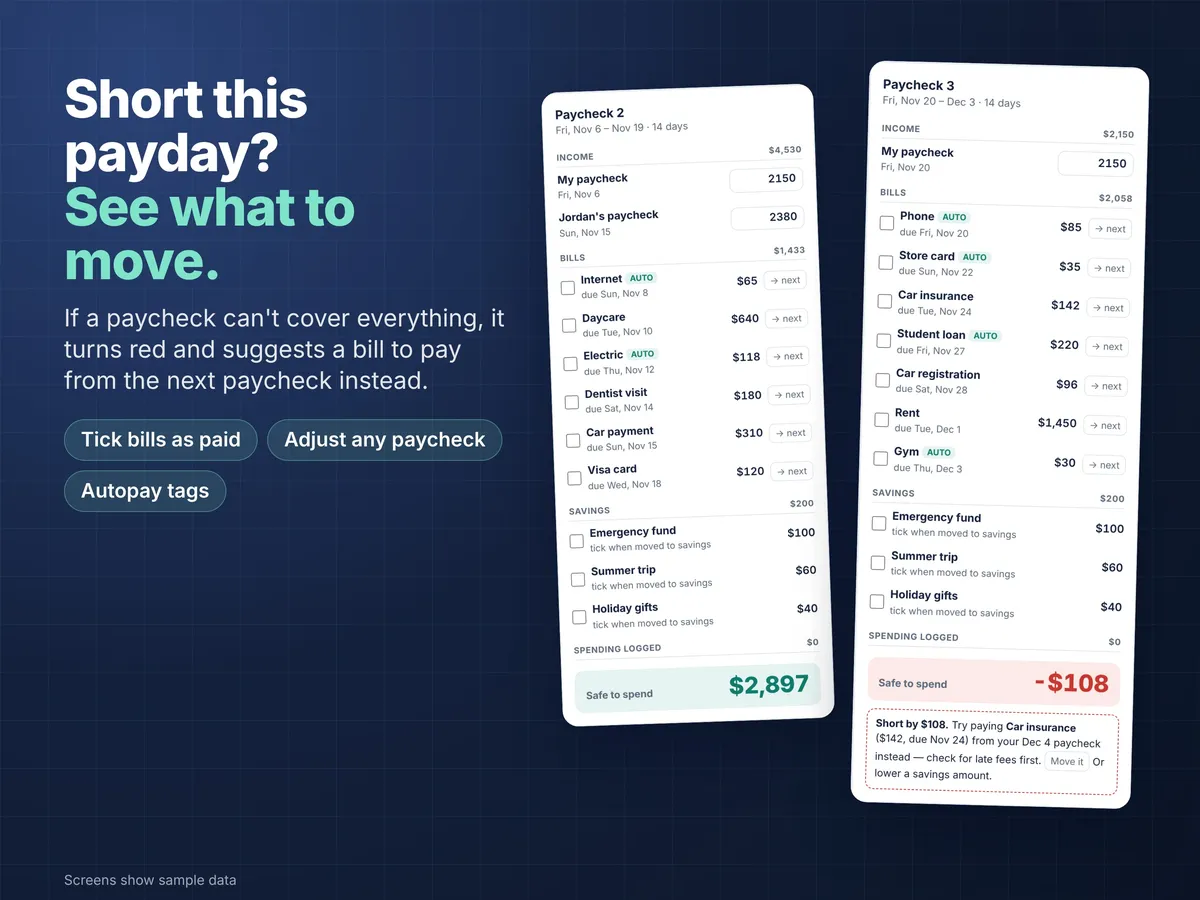
- Short on a paycheck? The card turns red and suggests a bill you could pay from the next paycheck instead (move it with one tap), or a savings amount to lower
- Bills: monthly, yearly or one-time, with due day, category and an autopay tag. Tick them off as you pay.
- Change a single paycheck (overtime, a smaller check) without touching the rest
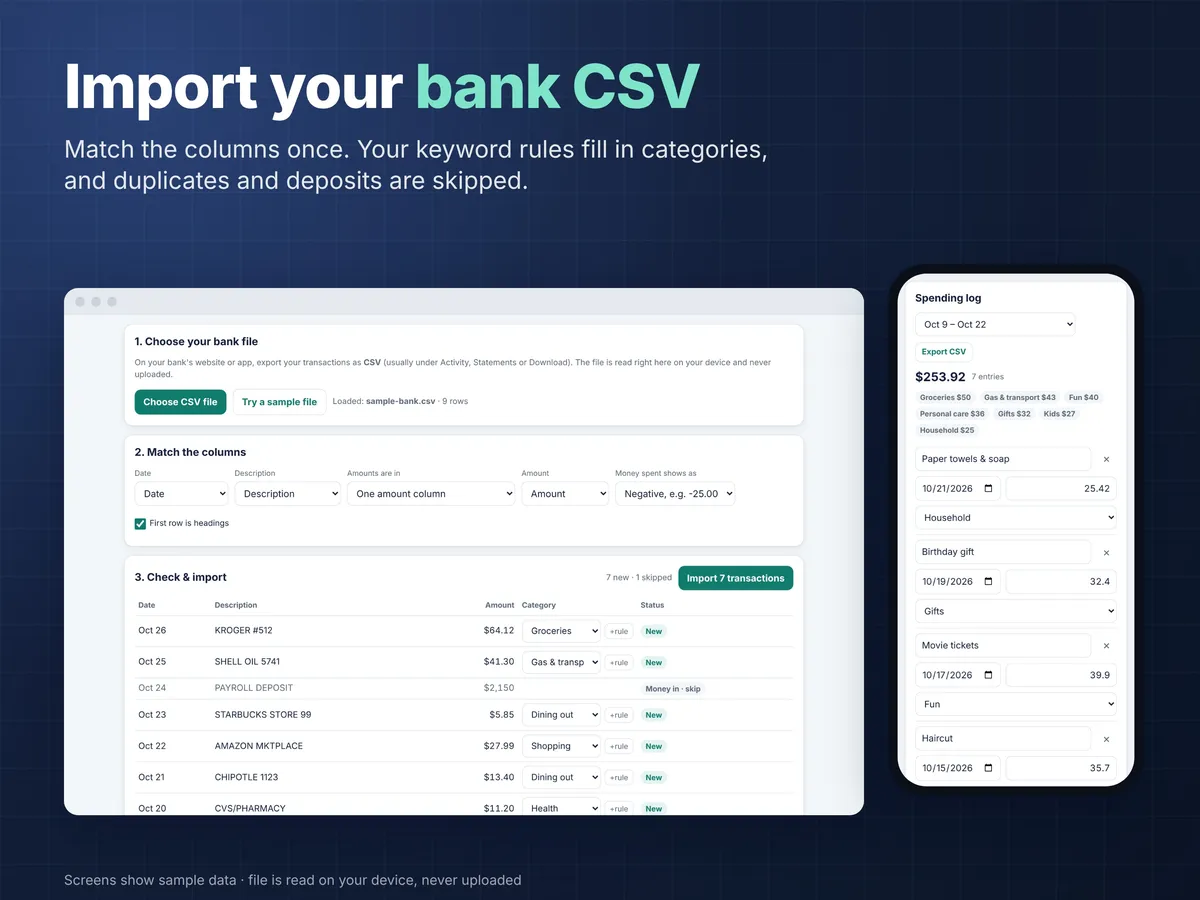
- Spending log: quick add with categories you can edit, plus totals per pay period
- Bank CSV import: upload the CSV from your bank, match the columns (one amount column or separate debit/credit), preview, and import. Your keyword rules fill in categories and are remembered, and duplicates and deposits are skipped.
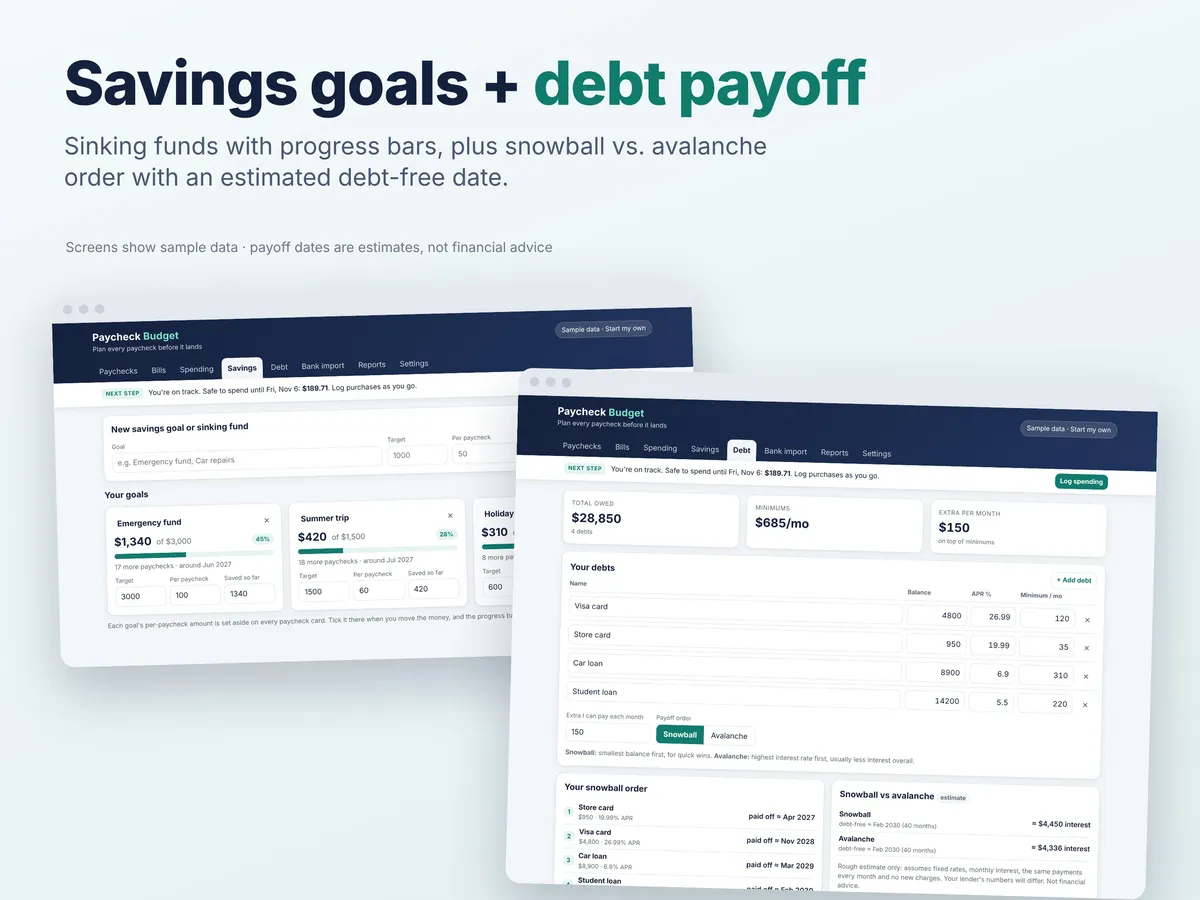
- Savings goals & sinking funds: target, amount per paycheck, progress bars and an estimated finish date
- Debt payoff: snowball vs. avalanche order with an estimated debt-free date and interest (clearly labeled estimates)
- Monthly reports: income vs. bills, savings and spending, spending by category, and the last 6 months
- color themes + dark mode
- Backup & restore, CSV export (spending and bills), print
What you get
- The budget app: one HTML file that opens in any browser (Chrome, Safari, Edge, Firefox) on iPhone, Android, Mac, Windows or Chromebook
- Quick-start guide (PDF, 2 pages)
- Sample data to explore before you start your own
How it works
- Download and unzip the file
- Open Paycheck-Budget-App.html in your browser. No internet or sign-up needed.
- Answer 4 quick setup questions and your paycheck plan is ready. It saves automatically as you go.
Good to know
- Instant digital download. Nothing is shipped.
- Your data stays private on your own device. Nothing is uploaded, and the bank CSV is read right on your device. Because of that, clearing your browser data will erase it, so use the built-in "Download backup" button now and then (instructions in the guide).
- Data doesn't sync between devices automatically. Use backup & restore to move it.
- It doesn't connect to your bank. You download a CSV from your bank and import it.
- Photos show sample data; your app starts empty.
- This is a planning tool, not financial advice. Debt payoff dates and interest are rough estimates.
- Personal-use licence: please don't resell or share the file.
- Designed and built by us with the help of AI coding tools.
- Questions? Email hello@krishivsystems.com. We reply within 24 hours.
Questions
Does the Paycheck Budget App work on iPhone and Android?
Yes. It's a single HTML file that opens in any browser (Chrome, Safari, Edge or Firefox) on iPhone, Android, Mac, Windows or Chromebook, and it works offline.
Is there a subscription?
No. It's a one-time purchase with no subscription and no account.
Does it connect to my bank?
No. It never connects to your bank. You download a CSV file from your bank and import it; the app matches columns, applies your category rules and skips duplicates and deposits.
Where is my financial data stored?
Only on your own device. Nothing is uploaded, and your bank CSV is read right on your device. Clearing your browser data will erase it, so use the built-in "Download backup" button regularly.
Can I add my partner's income?
Yes. During setup you can add a partner's or side-job income alongside your own. Data doesn't sync between devices automatically, so if you both use it on different devices, move it with backup and restore.
Can I get a refund?
Yes. There's a 14-day money-back guarantee, handled through Paddle, our payment provider. The app is a planning tool, not financial advice, and debt payoff dates and interest are rough estimates.
Related: Free paycheck budget calculator · Guide: how to budget by paycheck
Prices in US dollars; local sales tax or VAT is added at checkout. Orders are processed by Paddle.com, our Merchant of Record. 14-day money-back guarantee.