Wedding planner app for your budget, guest list, RSVPs and seating chart
Plan your whole wedding in one simple app: budget, guest list and RSVPs, seating chart, vendors and a month-by-month checklist. It works offline on your phone or computer. Pay once, with no subscription and no account.
What it does
- Overview: days to the wedding, budget used vs. your total, guests attending / not replied / declined, seats assigned, your next 5 checklist tasks and upcoming vendor payments
- "Next step" bar: always tells you the most useful thing to do next (a payment due soon, overdue tasks, guests without a seat)
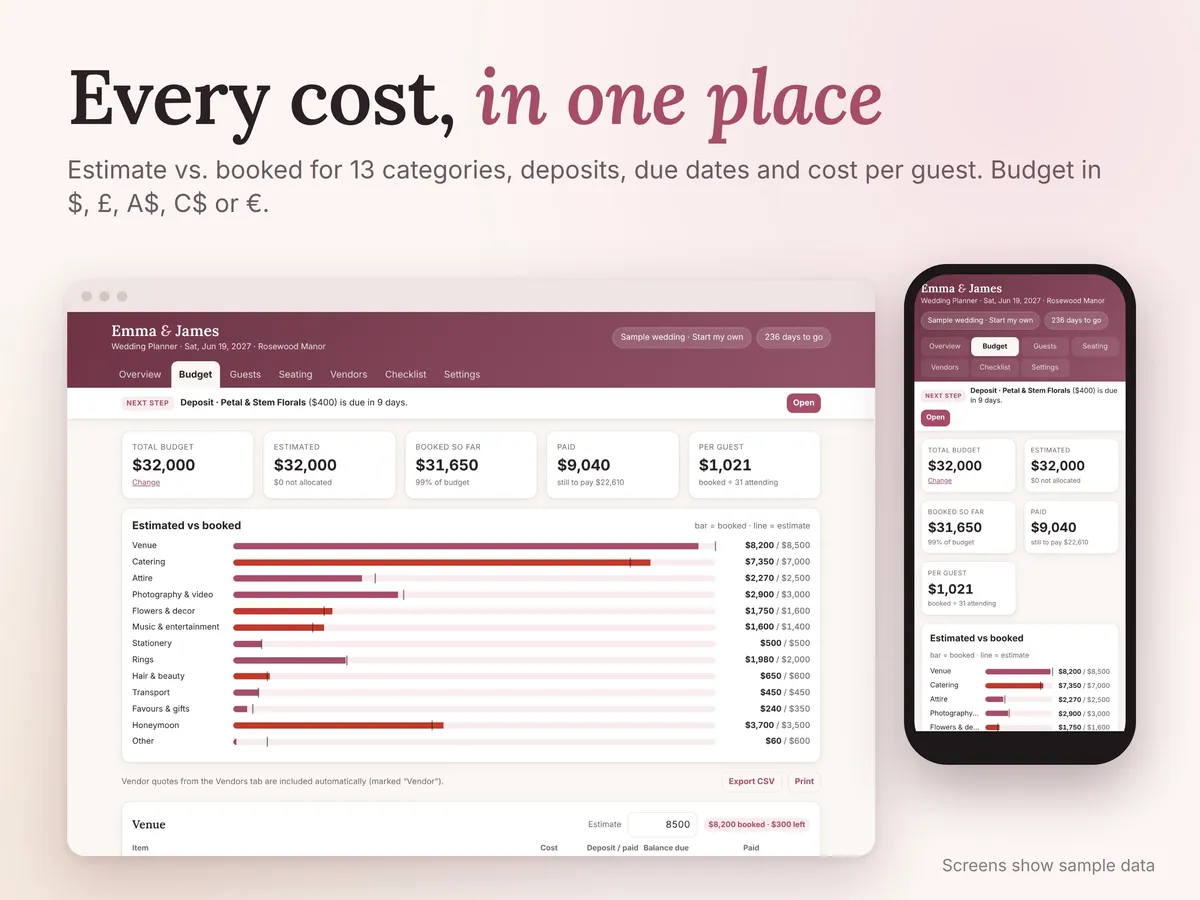
- Budget: 13 categories (venue, catering, attire, photography, flowers, music, stationery, rings, hair & beauty, transport, favours, honeymoon, other). Set an estimate for each, add what you book with cost, deposit paid, balance due date and a "paid" tick. Shows paid vs. still to pay and cost per guest.
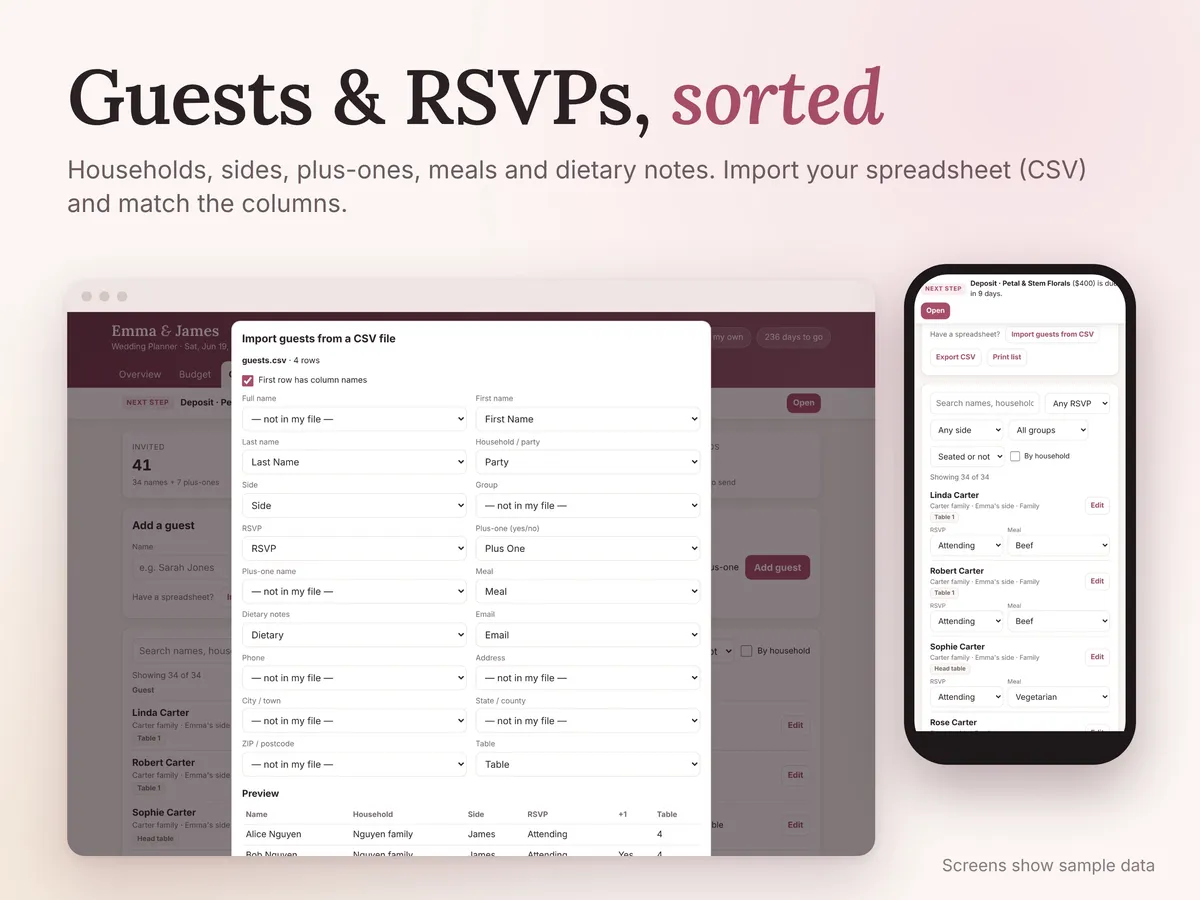
- Guests & RSVP: name, household, side (yours, theirs or both), group, plus-one, meal choice, dietary notes, address, email, phone and table. Filter by RSVP, side, group or seated. View by household to count invitations. Automatic meal count and dietary list for your caterer.
- Spreadsheet import: bring in your guest list from a CSV file (Excel or Google Sheets), match the columns, preview, then import
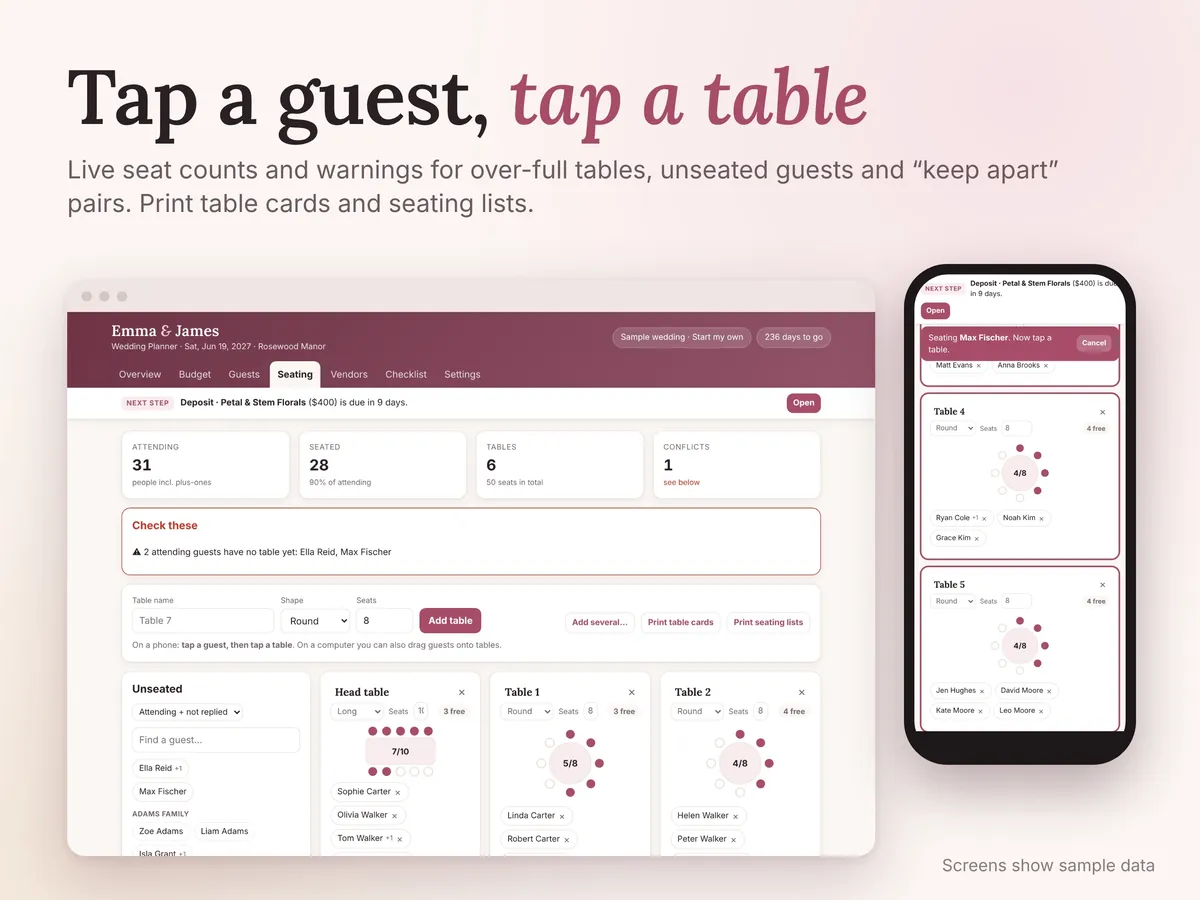
- Seating chart: round or long tables with live seat counts. On a phone, tap a guest and then tap a table. On a computer you can also drag and drop. Warnings for over-full tables, attending guests with no seat, declined guests still seated, a name seated twice, and "keep apart" pairs at the same table.
- Printable table cards, a seating list by table, and an alphabetical "find your table" list
- Vendors: contact details, quote, deposit and due date, balance due date, contract signed, notes. Filter by money still due or unsigned contracts. Vendor quotes are added to your budget automatically, so you don't type them twice.
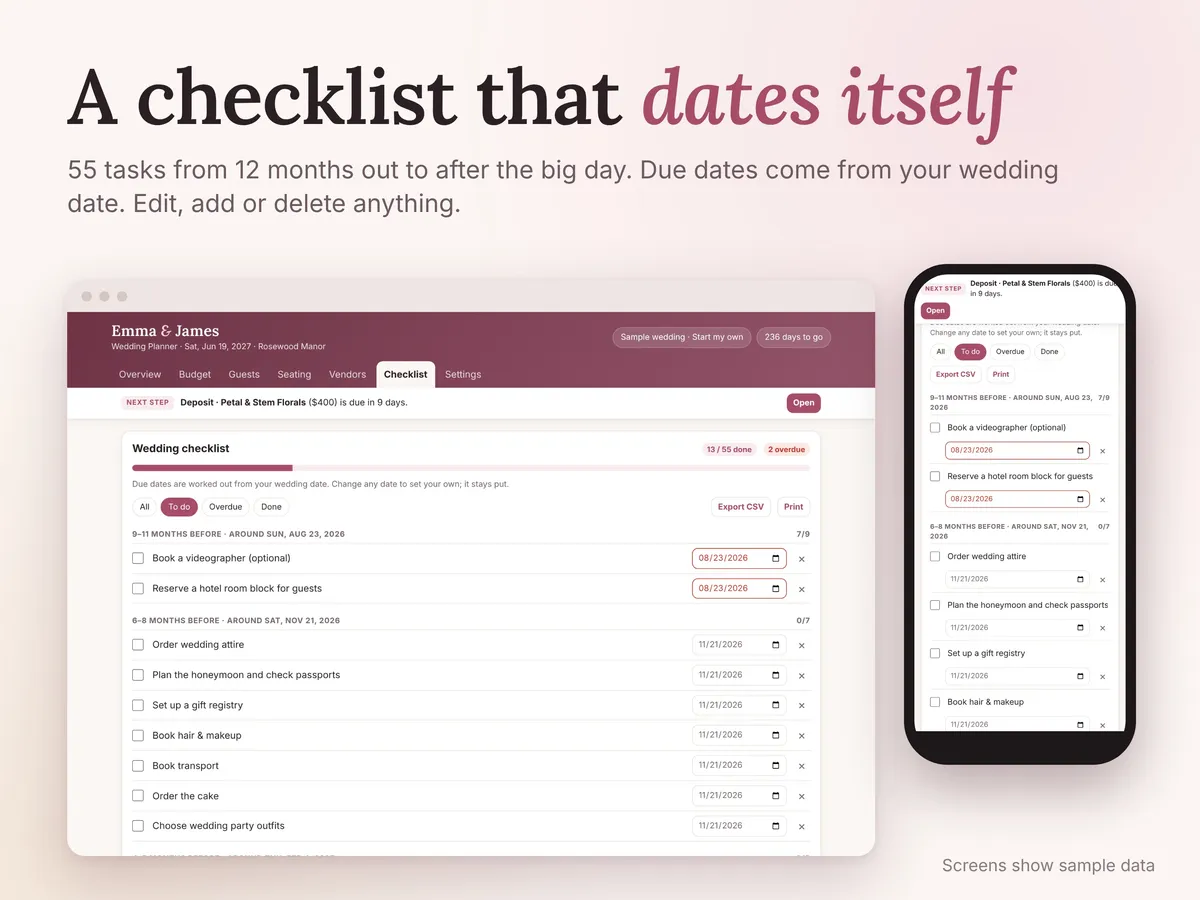
- Checklist: 55 tasks from 12+ months before to after the wedding, with due dates worked out from your wedding date. Edit, add or delete anything. Overdue tasks are highlighted.
- Currency: $, £, A$, C$ or €
- colour themes (blush, sage, navy, champagne) + dark mode
- Backup & restore, CSV export (guests, budget, vendors, checklist), print
What you get
- The wedding planner app: one HTML file that opens in any browser (Chrome, Safari, Edge, Firefox) on iPhone, Android, Mac, Windows or Chromebook
- Quick-start guide (PDF, 2 pages)
- A sample wedding to explore before you start your own
How it works
- Download and unzip the file
- Open Wedding-Planner-App.html in your browser. No internet or sign-up needed.
- Tap "Start my wedding", add your names, date and budget, and start planning. It saves automatically as you go.
Good to know
- Instant digital download. Nothing is shipped.
- Your data stays private on your own device. Nothing is uploaded, and your guest CSV is read right on your device. Because of that, clearing your browser data will erase it, so use the built-in "Download backup" button now and then (instructions in the guide).
- Data doesn't sync between devices or between you and your partner automatically. Use backup & restore to move it, and keep one main copy.
- It doesn't send invitations or collect RSVPs online. You record replies as they come in.
- Photos show sample data; your planner starts empty.
- Personal-use licence: please don't resell or share the file.
- Designed and built by us with the help of AI coding tools.
- Questions? Email hello@krishivsystems.com. We reply within 24 hours.
Questions
Does the Wedding Planner App work on iPhone and Android?
Yes. It's a single HTML file that opens in any browser (Chrome, Safari, Edge or Firefox) on iPhone, Android, Mac, Windows or Chromebook. No internet connection or sign-up is needed once you've downloaded it.
Is there a subscription?
No. You pay once and the app is yours, with no subscription and no account.
Where is my wedding data stored?
Everything stays on your own device; nothing is uploaded, and an imported guest CSV is read right on your device. Because of that, clearing your browser data will erase it, so use the built-in "Download backup" button now and then.
Can my partner and I both use it?
Yes, but data doesn't sync between devices or between the two of you automatically. Use backup and restore to move the plan from one device to another, and keep one main copy so your lists don't drift apart.
Can I import my guest list from a spreadsheet?
Yes. Export your guest list as a CSV file from Excel or Google Sheets, then import it: match the columns, preview, and import. You can also export guests, budget, vendors and checklist back out as CSV.
Can I get a refund if it isn't right for me?
Yes. Purchases come with a 14-day money-back guarantee, handled through Paddle, our payment provider. If you have a question first, message us and we reply within 24 hours.
Related: Guide: wedding planning checklist
Prices in US dollars; local sales tax or VAT is added at checkout. Orders are processed by Paddle.com, our Merchant of Record. 14-day money-back guarantee.